A quick guide to uploading feedback you already have, or collecting a new survey directly in FourteenFish.
Which route should I use?
| Route A — feedback collected elsewhere | Route B — collect it in FourteenFish |
|---|---|
| Use this if you already have patient or colleague feedback from paper forms or another software system. | Use this if you want FourteenFish to send/collect the survey and tabulate the results for you. |
Route A — upload feedback collected elsewhere
1. Go to Supporting information → Add an entry
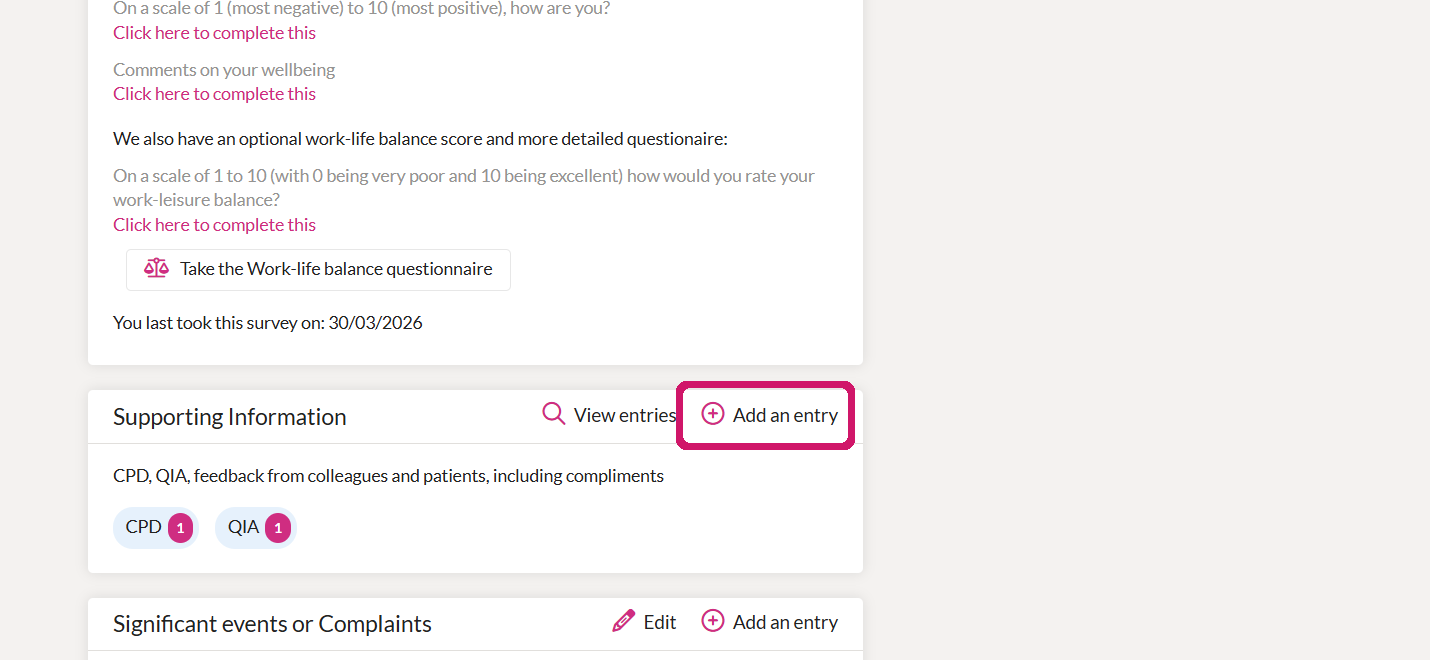
From your Portfolio, find Supporting information and choose Add an entry.
2. Choose the feedback type
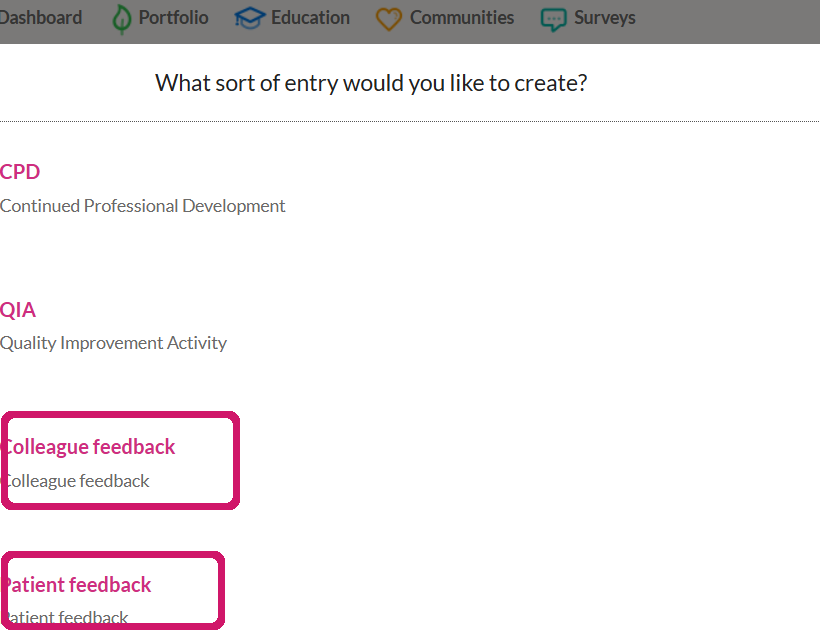
Select Colleague feedback or Patient feedback.
3. Add the report and a short reflection
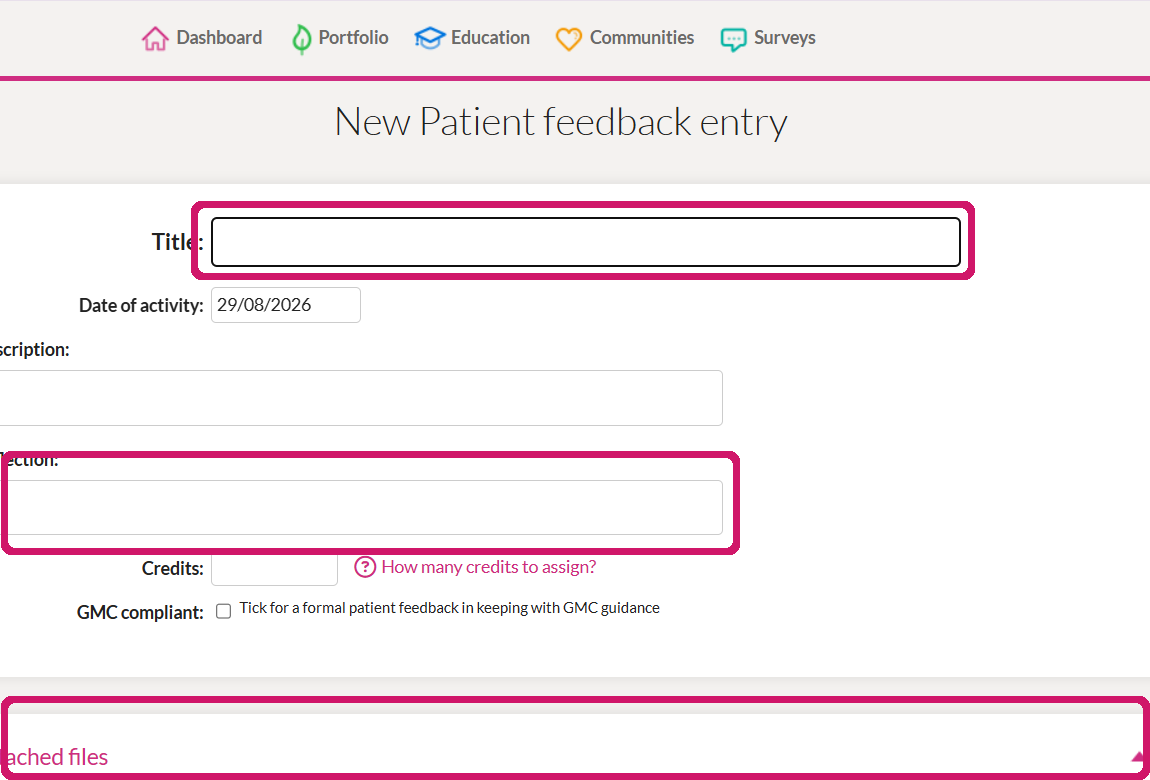
Enter a clear title/date, add a brief reflection, and attach the completed feedback report.
Route B — collect a new survey in FourteenFish
This route creates a feedback survey inside FourteenFish. Patient and colleague feedback are set up separately, but the steps are essentially the same.
1. Open Surveys
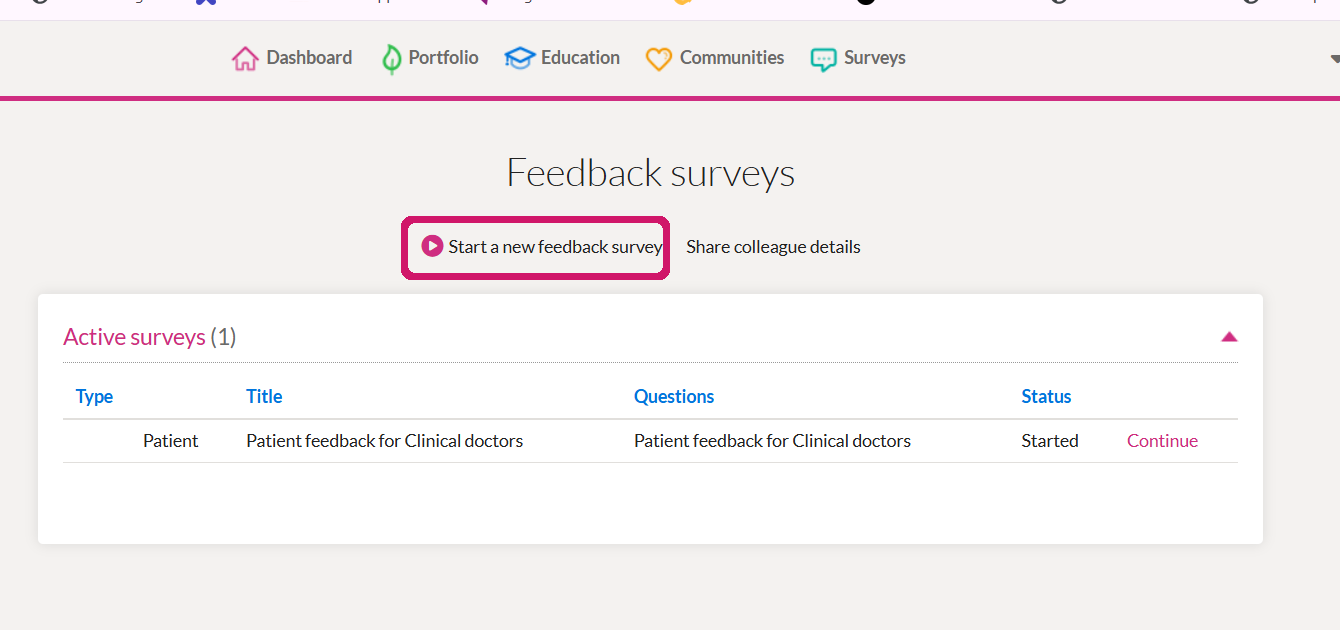
Go to Surveys and choose Start a new feedback survey.
2. Select “Me”
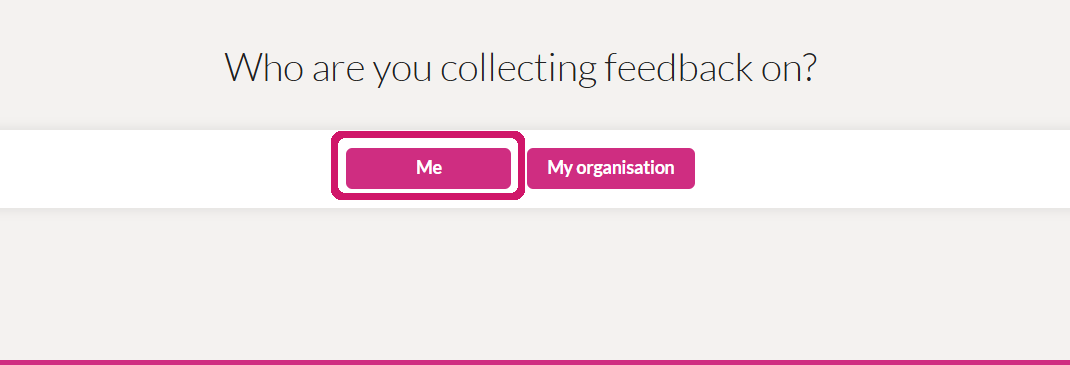
When asked who you are collecting feedback on, select Me.
3. Pick Patients or Colleagues
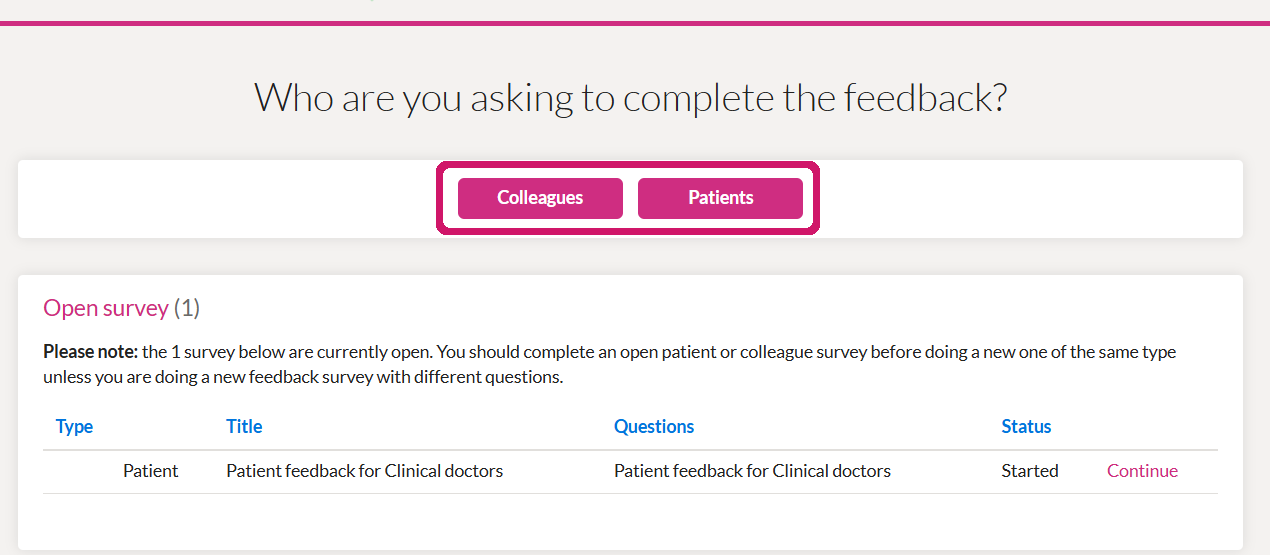
Choose who you want to ask to complete the feedback.
4. Choose the questionnaire
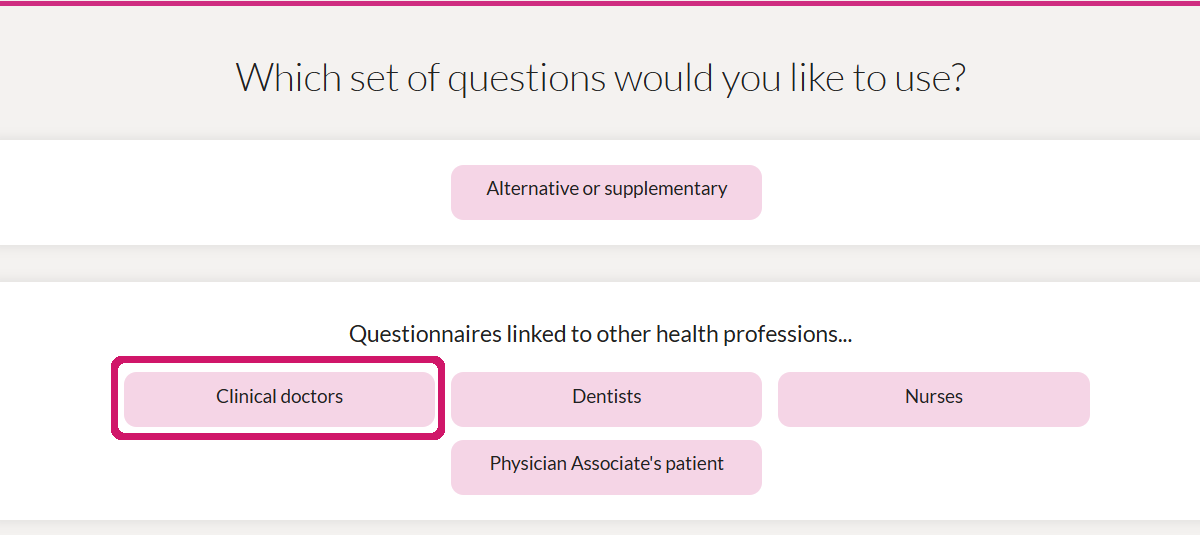
For doctors, select Clinical doctors.
Finish setting up the survey
5. Use the standard questions
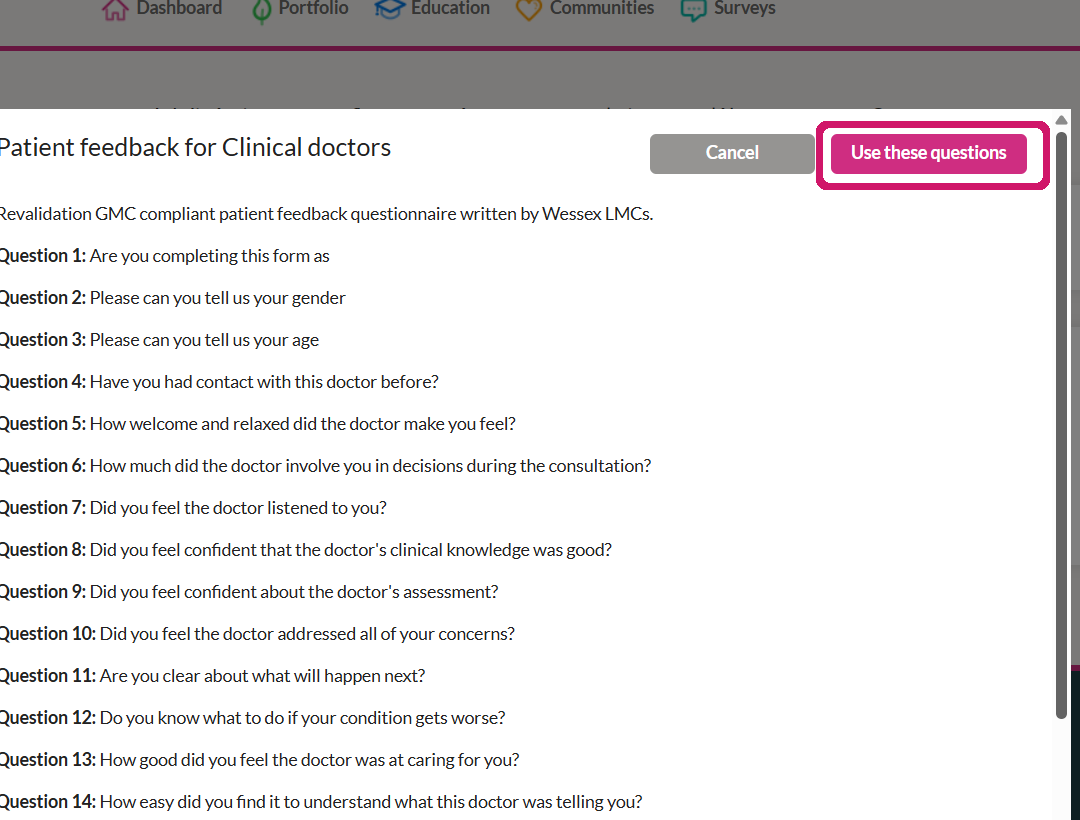
FourteenFish shows the clinical-doctor questionnaire. You can use the standard question set, or add additional questions if needed.
6. Complete your self-assessment
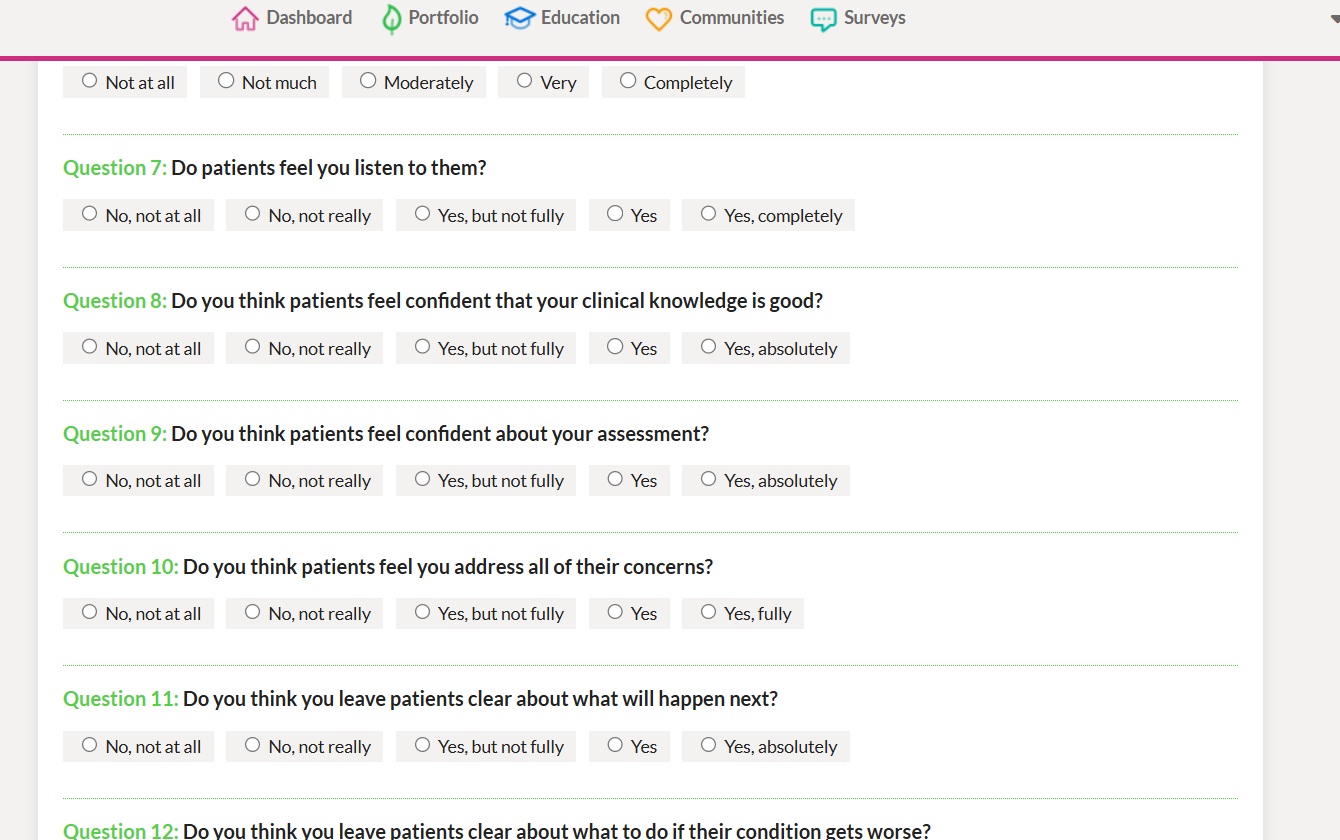
Complete the self-rating questions before sending the survey out.
7. Invite participants
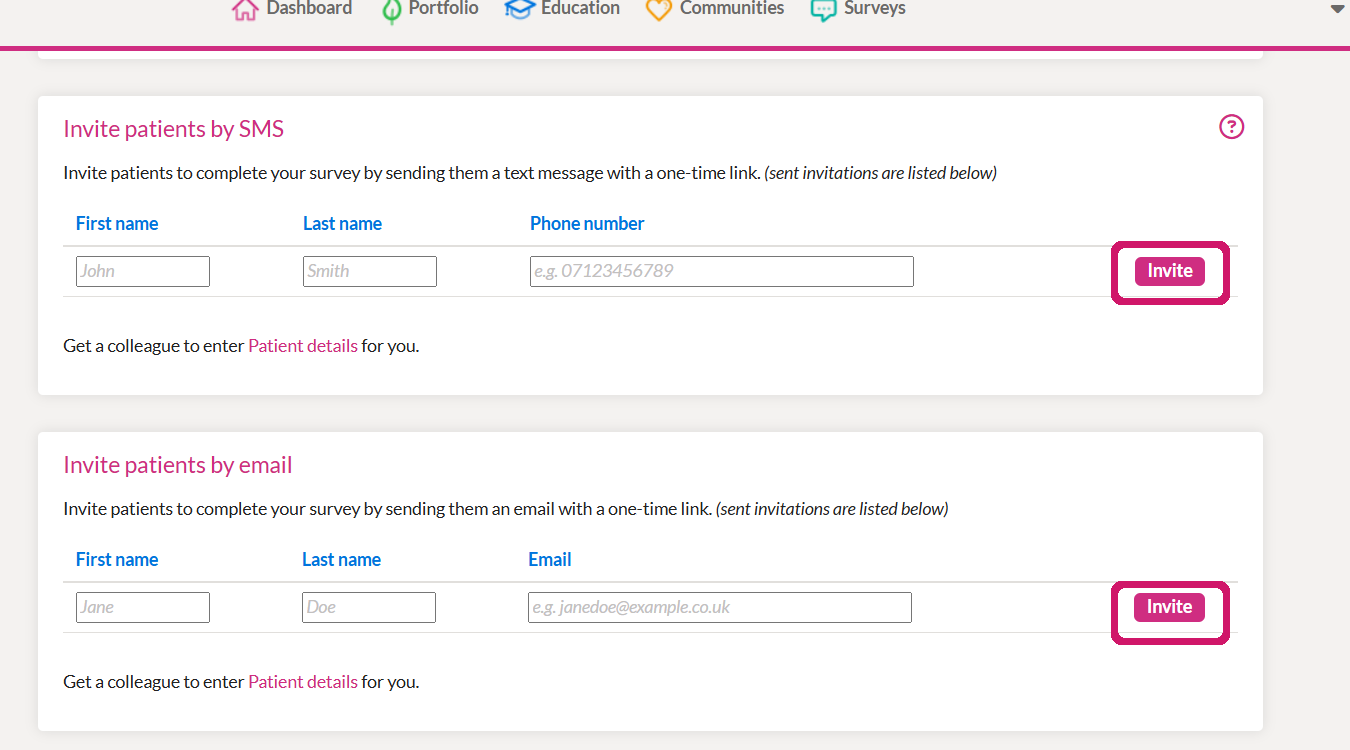
Invite people by SMS or email. FourteenFish also provides a printable questionnaire option.
A few practical tips
• Keep the patient and colleague surveys clearly labelled so they are easy to find later in your appraisal portfolio.
• If you are uploading an existing report, include a short reflection rather than uploading the file with no context.
• If you are collecting a new survey, check that you have selected the correct group (Patients or Colleagues) before sending invitations.
• Close the survey when collection is complete so the results can be collated and reviewed.